Quoting, updated
Say it out loud. Sign it in the driveway.
Quoting was always in Arb Astra. The typing was the problem. Now you just talk, the quote fills itself in, and they sign it before the truck leaves the driveway. No signal out there? It still works.
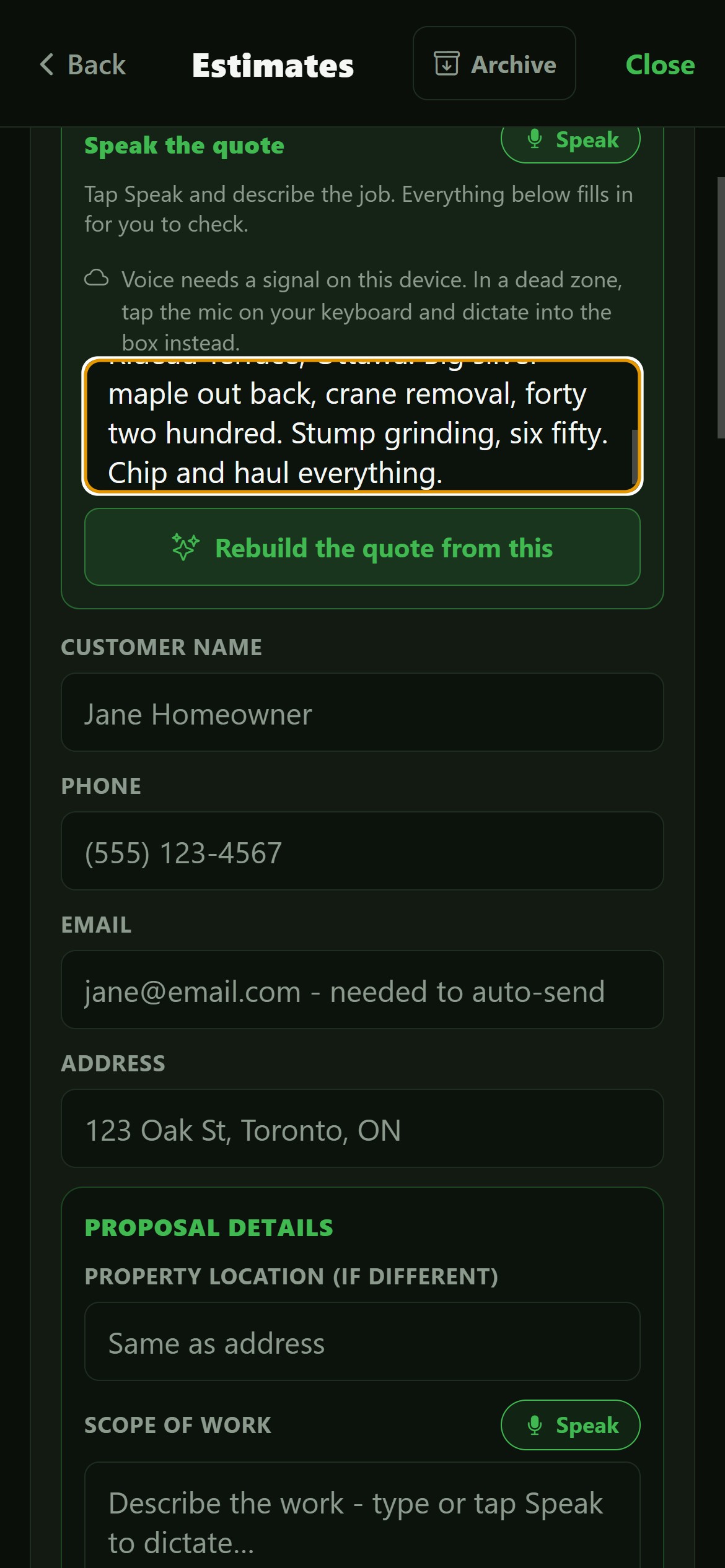
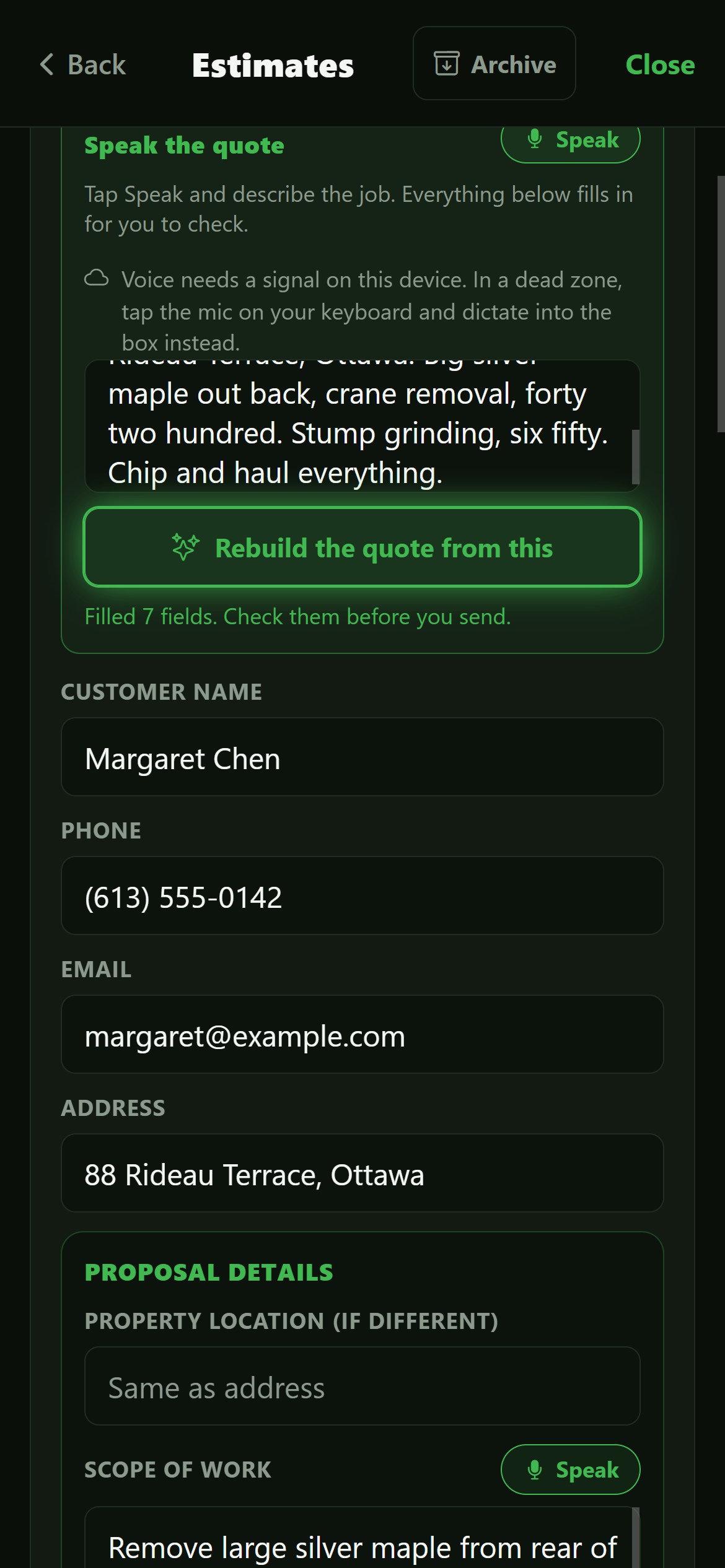
“Margaret Chen, 88 Rideau Terrace. Big silver maple out back, crane removal, forty two hundred. Stump grinding, six fifty.”
- Customer
- Margaret Chen
- Address
- 88 Rideau Terrace, Ottawa
- Services
- Tree Removal · Stump Grinding
- Line 1
- Crane-assisted removal $4,200.00
- Line 2
- Stump grinding $650.00
- Total
- $5,480.50 incl. HST

The whole job, on the phone in your hand
Speak it, show it, sign it, send it - here is each step as it actually looks on the device, signal or no signal. Real screens, nothing staged.
You talk. It fills itself in.
Say the job the way you would say it to a groundie - the name, the address, the trees, the prices. It lands in the form on its own, priced per line with the tax worked out. You check it, you do not type it.
Your paper, or ours.
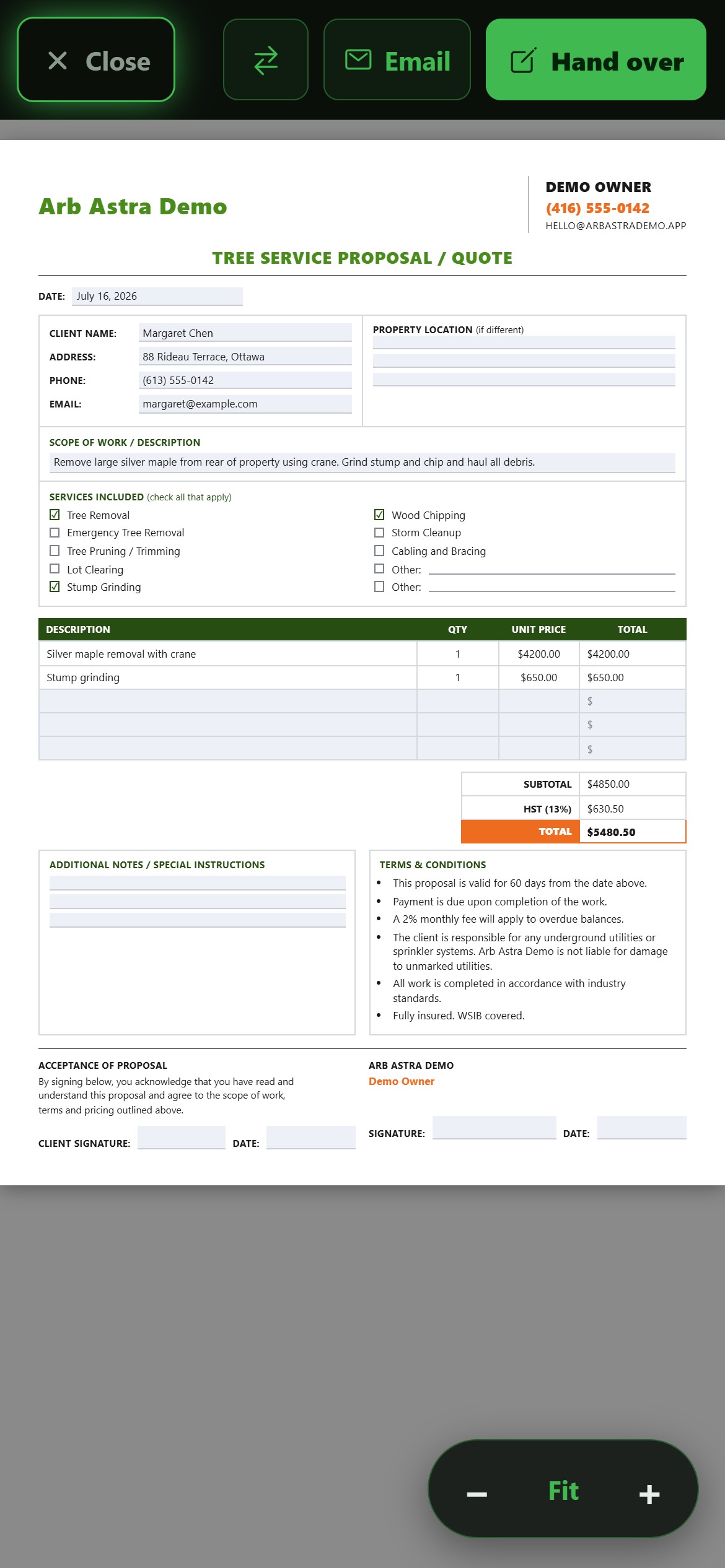
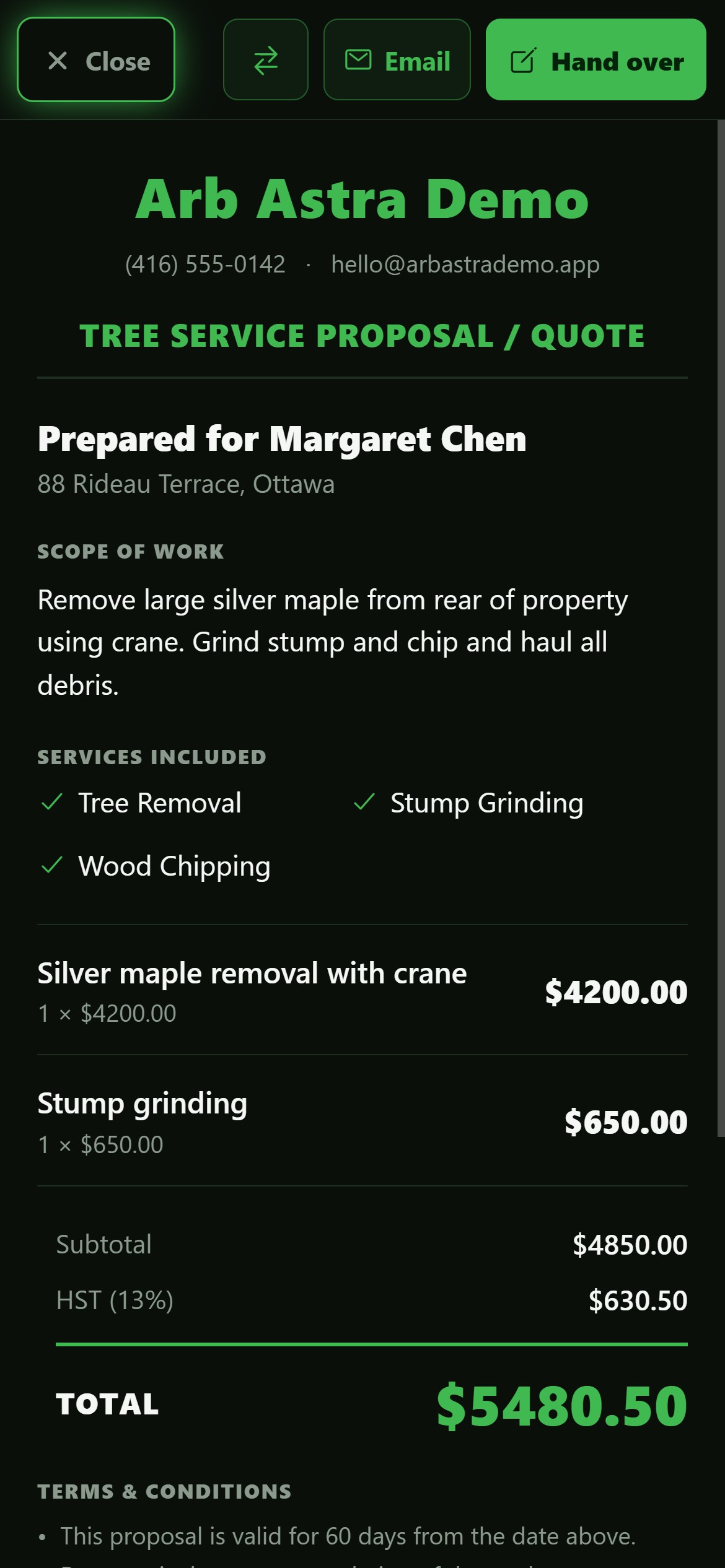
Turn the tablet round to your own letterhead, terms and HST number - the form we rebuilt line for line - or a clean Arb Astra sheet. One tap between them, full screen, with none of your CRM showing.
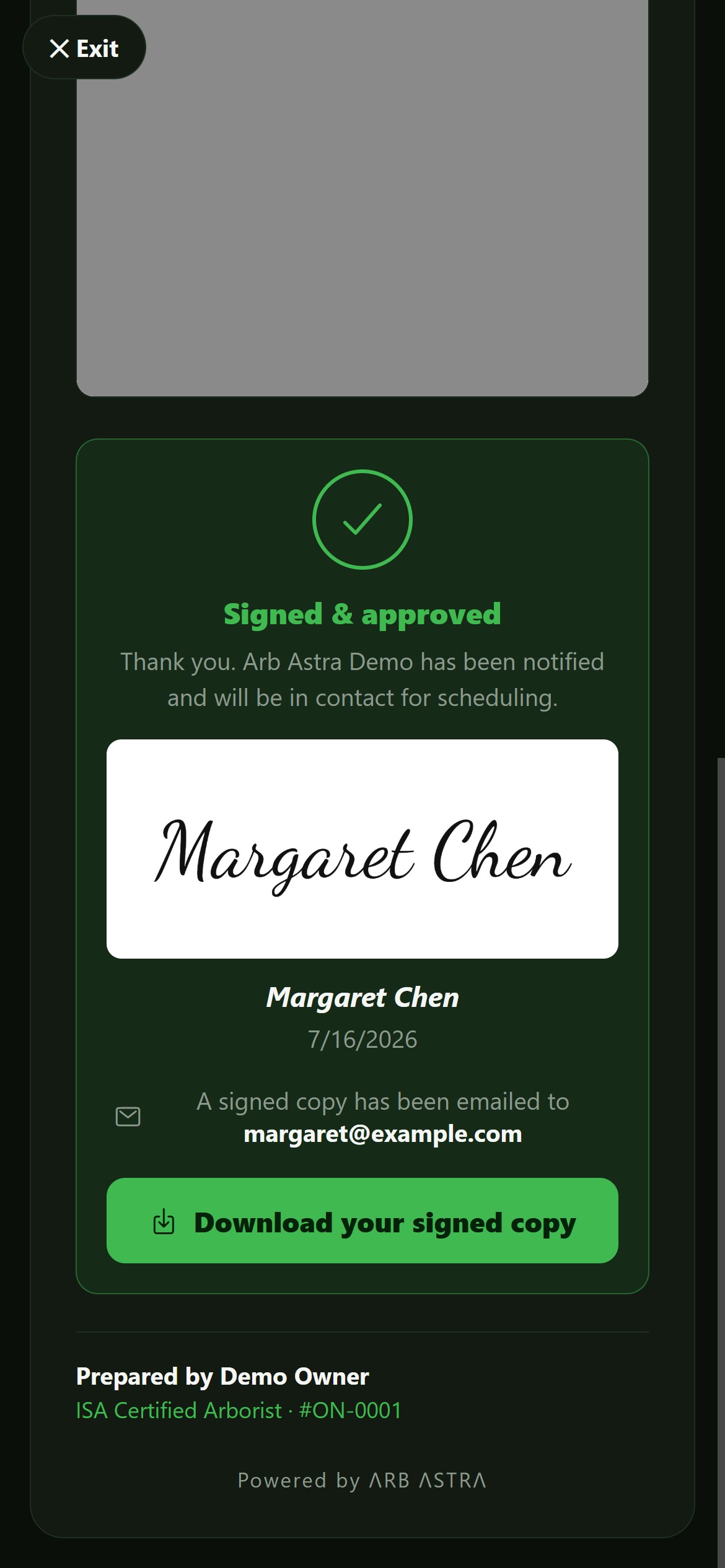
They sign. It is done.
They draw their signature on your iPad in the driveway. The signed PDF emails itself over under your name, both signatures on it, and a copy is in their inbox before your seatbelt is done up.
One bar? Still works.
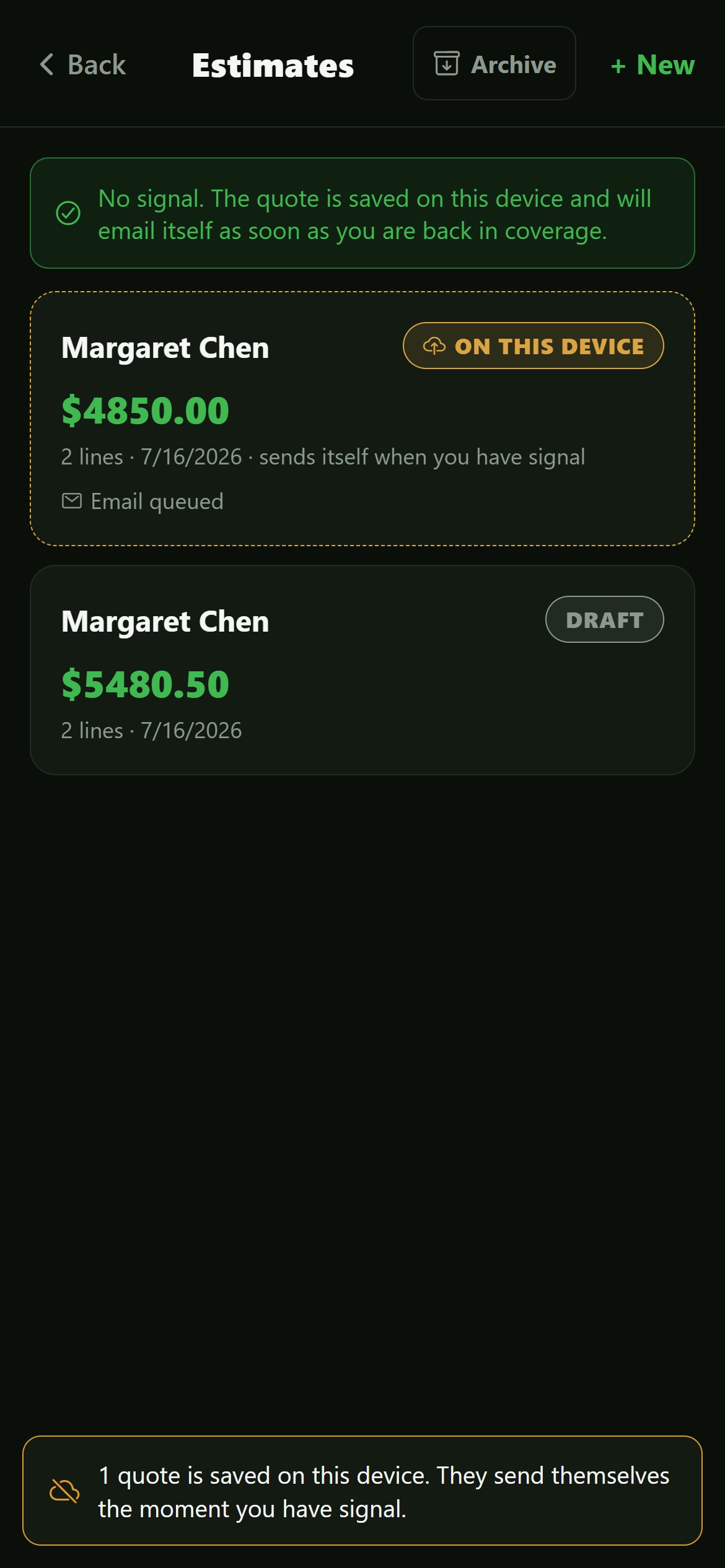
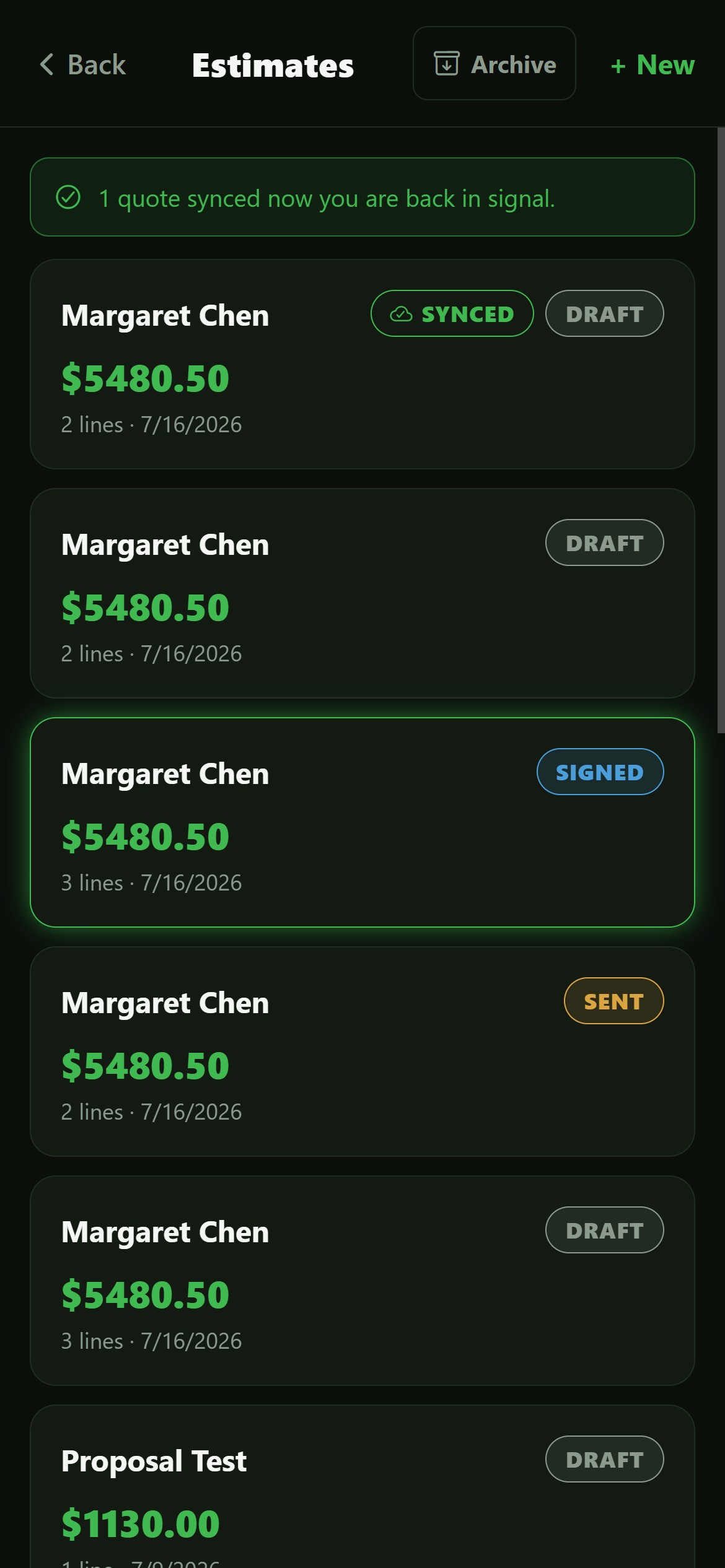
Build it, sign it, hand it over with no signal at all. It waits on the device in amber, then sends itself and turns green the moment you are back in coverage. You press nothing, and nothing is lost.
Nobody reads your quote on its own
It gets read at a kitchen table, next to two other quotes, with nobody there to defend it. Those jobs do not come back with a no. They just never come back.
Speak
Talk through the job like you always would. It lands in the form on its own.
Present
Turn the tablet round. Your logo, your colours, full screen. Show your hourly rate or hide it, your call.
Sign
They sign, you sign, done. A quote signed in the driveway has nothing to compete with.
The app needs about four seconds. The other twenty five are you, talking, and we cannot speed you up.
How many jobs is slow costing you?
Think about your last 100 quotes. How many would you have won if it had been signed before you drove away? You know the number. The math below is just your number, worked out.
Same year, printed twice. Red is what slow quotes take. Green is the same money, kept. We are not making you new money, just stopping yours from walking down the drive. Think we are flattering ourselves? Drag the slider to one and look again.
How a visit goes now
Five steps. We took out everything that used to sit between them.
- 01
You talk
Describe the job. It speaks arborist: “forty two hundred” is $4,200, per line, never doubled.
- 02
You check it, you don’t type it
Nudge a price, add the tree they forgot, knock a bit off. A discount comes off before tax.
- 03
You turn the tablet round
Full screen, your logo, their quote. Show your hourly rate or hide it. It won’t wander into your CRM while they hold it.
- 04
They sign. You sign too.
Draw yours once and it’s on every quote after. They draw theirs on your iPad. A typed name is not a signature.
- 05
The paperwork does itself
The signed PDF emails itself over under your name - your logo, terms, HST number, both signatures. Replies come to you.
It all works with no signal
Tree work happens down a gravel driveway with one bar and a spinning wheel. Every step above works in airplane mode.
It still opens
The app lives on the device. No blank screen, no App Store - add it to your home screen once.
It still listens
Your phone does the transcribing, not the internet. “Forty two hundred” is still $4,200 in a dead zone.
They still sign
Both signatures keep the time they were really made, not when the phone found a mast on the way home.
It sends itself
Waiting quotes sit at the top in amber and turn green the second they send. You press nothing.
Build a quote in airplane mode, sign it, turn the signal back on. It’s in their inbox before your seatbelt is done up.
The details that decide if you keep using it
The parts that decide whether your estimator is still using it in March, or back on the paper pad.
Your paper, not ours
Your logo, checklist, terms and HST number. For Phil we rebuilt his form line for line. Yours too - just ask.
Your name on everything
Quotes, reminders and signed copies go out as you; replies come to you. The homeowner never finds out we exist.
Signatures that hold up
Everyone signs as themselves. Yours is saved for you and never used unless you press the button; theirs is never reused.
Change it and resend
Take a tree off, it goes straight back out - same link, new numbers. Delete a quote and it waits in a 45-day archive, restorable in one tap.
Bisson Services
Phil Bisson · Professional Tree Care · Ottawa, Ontario
We took the form Phil has been ticking for years, rebuilt it line for line, and taught it to fill itself in while he talks. He did not change one thing about how he quotes. He just stopped writing it down.
- Status
- Livequoting real jobs
- Time to quote
- ~30sspoken, not typed
- Signatures
- Bothhis and theirs
- Signal needed
- Noneit sends itself later
- His paper
- 1:1rebuilt, not replaced
What we are still honest about
Offline has edges. Some phones can’t transcribe on their own yet - on those you tap the keyboard mic instead. Browsing old quotes needs a signal; building new ones never does.
Quotes go out through a shared mailbox with your name on the front; sending from your own address needs two records on your domain. And presentation mode can’t mute your phone - it asks you to flip on Do Not Disturb so Mrs. Kowalski’s “the stump is STILL there” doesn’t land across the screen mid-signature.
One month free on the quoting tool. No card.
Set it up on your phone, quote your next job out loud, and watch it sign in the driveway. If it does not pay for itself in the first month, walk away and owe nothing.